

Use clustermode
What is clustermode?
Clustermode lets multiple displays work together to render a single app's data. Imagine a long list of appointments that doesn't fit on one display — clustermode spreads the appointments across multiple displays so viewers see more at once.

Setting up clustermode
If you've found a use case for clustermode in a specific app, you need some extra configuration.
- Enable clustermode inside the app you want to use. Some apps have extra clustermode-specific settings — refer to the app's own guide if you're unsure what they mean.
- Configure the displays to use this app:
Go to Displays in Lumicast.
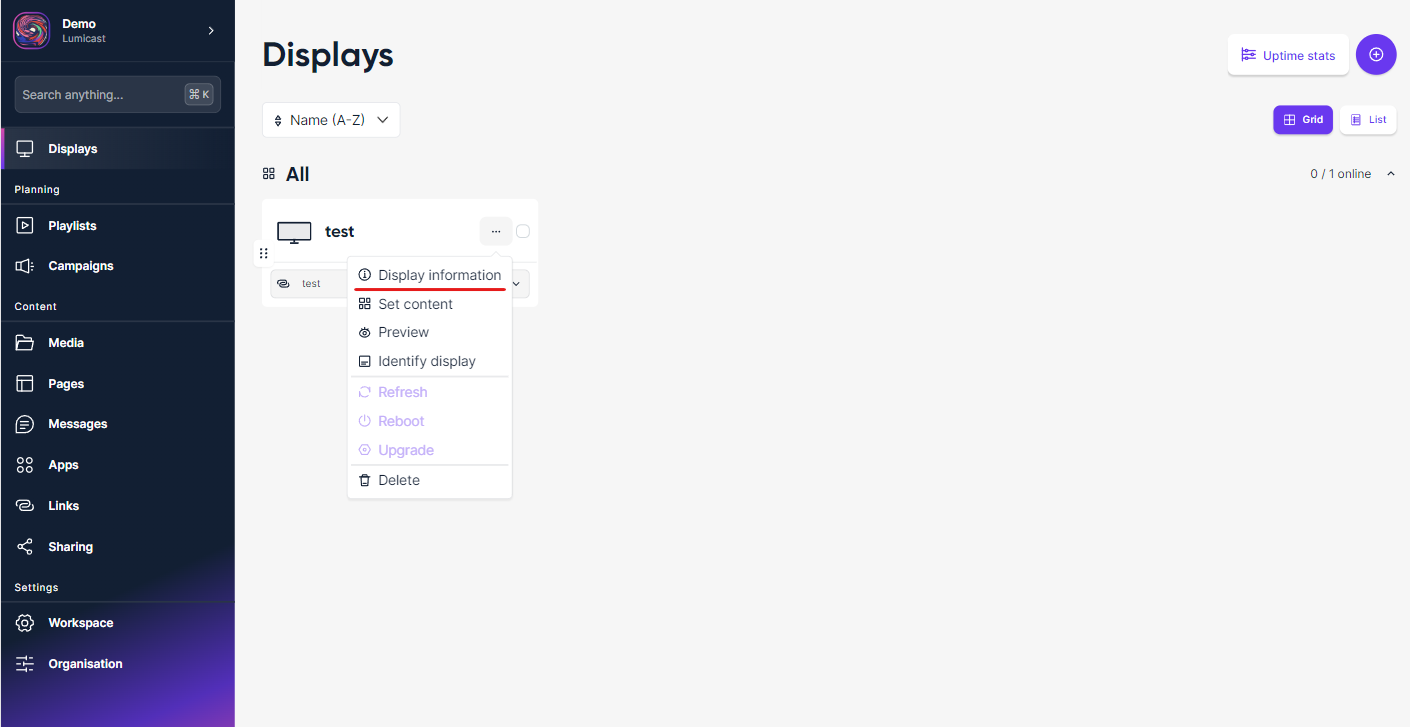
Open the menu of the display and click Display information:
In the menu on the left, under Configuration, open General.
Under Metadata, click + Add and select Display number. Enter the number of this display — e.g. if you have five displays, give the first one
1: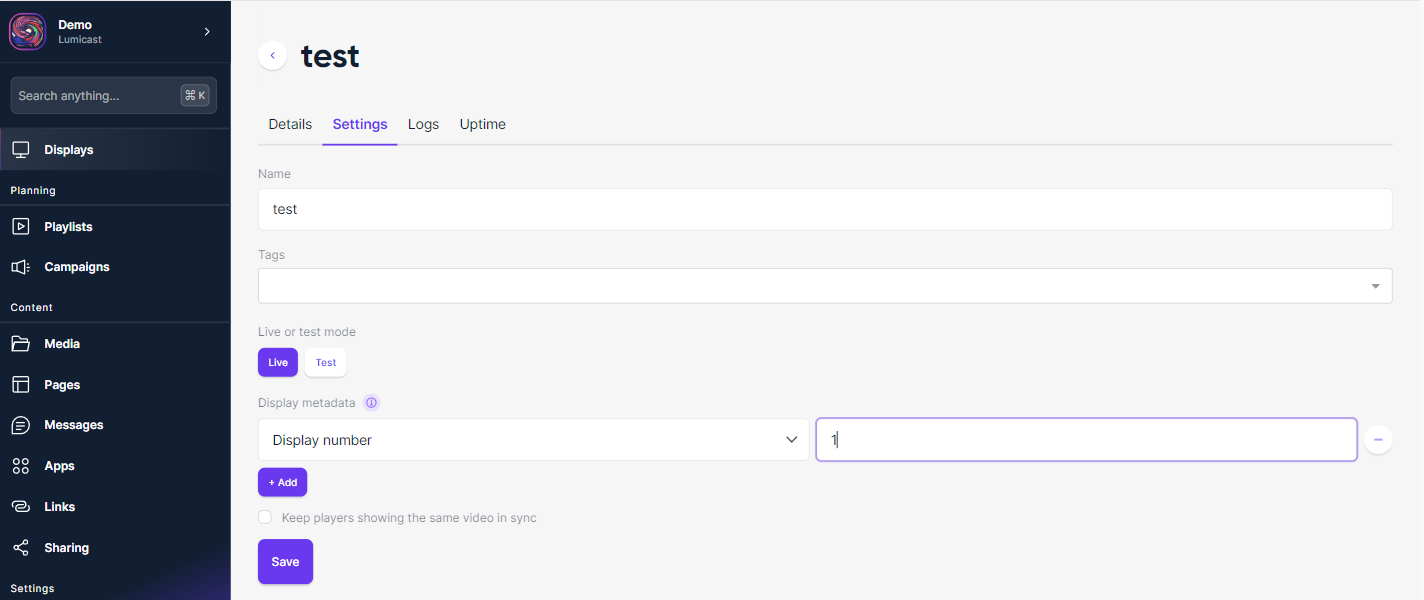
Click Save.
- Repeat for every display in the cluster. Finally, make sure the app is selected to play on each display.