

Jira Open Issues app
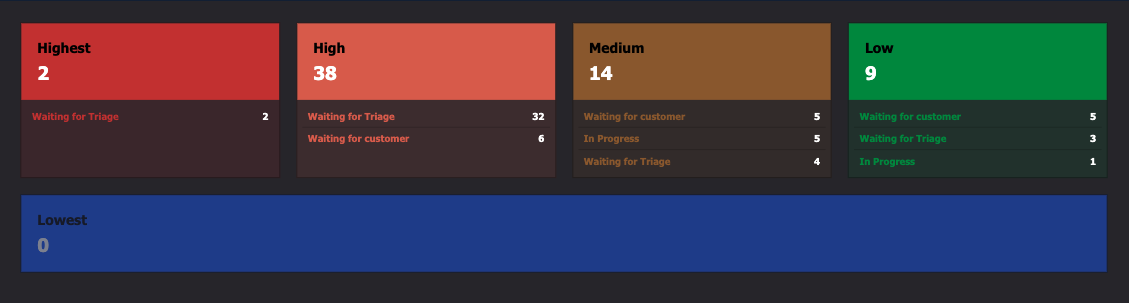
Show the issues that are currently open per priority and status from your Jira environment.
Getting a Jira API token
You'll need an API token for your Jira environment. Follow Atlassian's official guide: Create a Jira API token.
All configuration options
| Setting | Explanation | Required |
|---|---|---|
| App name | A recognizable name shown in your content library | Yes |
| Jira URL | Your Jira environment URL, e.g. <company>.atlassian.net | Yes |
| Jira Email | Email of the account that created the API token | Yes |
| Jira API Token | The API token generated for this app | Yes |
| Priorities | Issue priorities to show, each with its own color and an Enabled toggle (default: Highest, High, Medium, Low, Lowest) | Yes |
| Statuses | Issue statuses to show (default: To Do, In Progress, Done) | Yes |
| Extra JQL Query | Extra JQL clause to further filter the issues | No |
| Base Font Size | Scales the font size (default 18 px); the app also resizes accordingly | Yes |